How Relay works
Agents and the Team view
Each agent does one job for your business, such as Sales, Finance or Operations. An agent has:
- a job description;
- its own voice and files;
- optionally its own mailbox;
- its own memory;
- its own skills.
It only uses its own skills and tools, plus the ones you share with every agent. Global holds the defaults every agent starts from.
The Team view
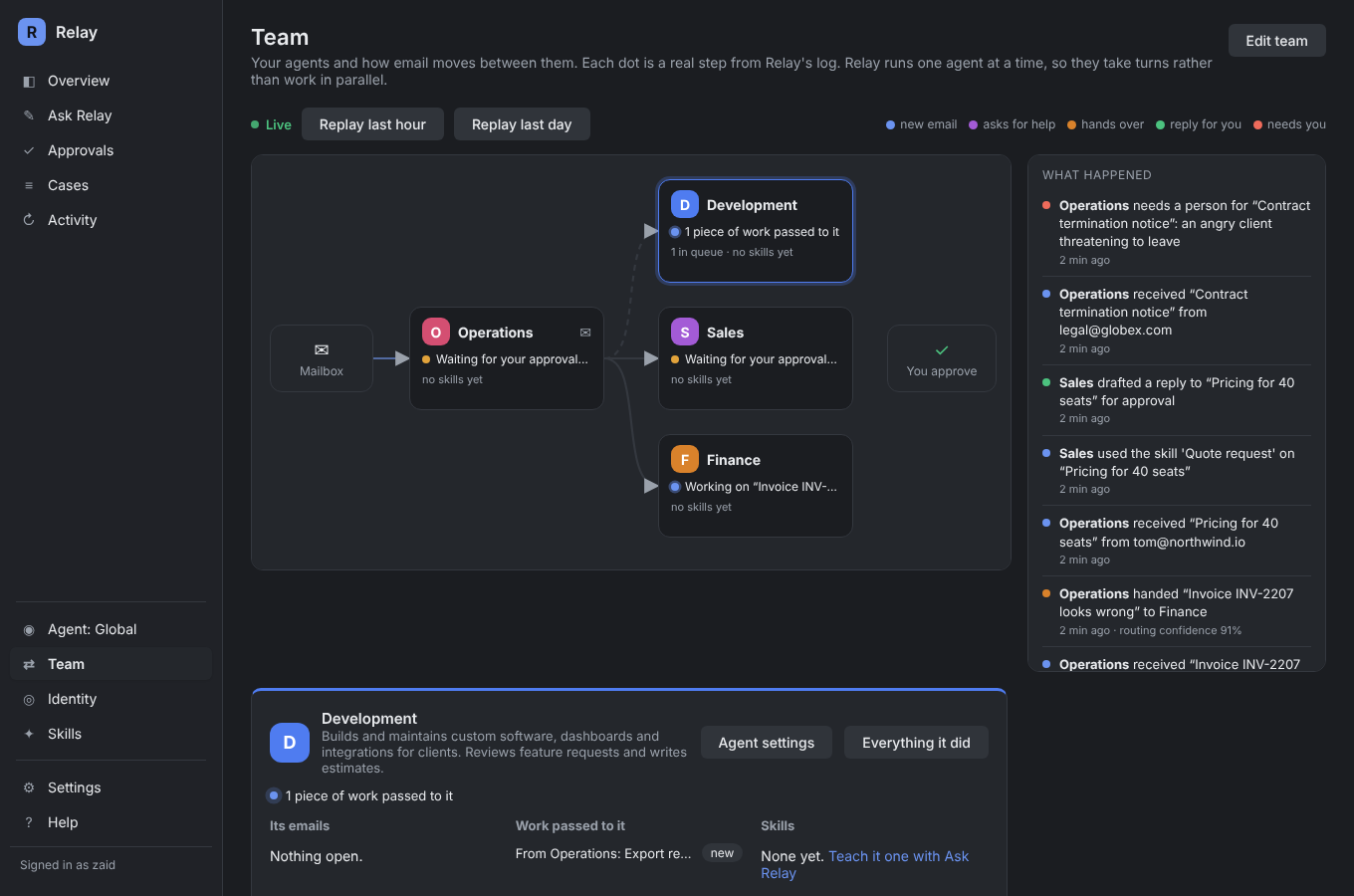
Team in the sidebar is a live map of your agents.
- Each card shows what the agent is doing: idle, working on an email, waiting for your approval, or needing you.
- When email moves, a dot travels along the arrow and the receiving agent lights up. Every dot is a real step from Relay's log, never decoration.
- Replay last hour and Replay last day play back what really happened.
- Click an agent to see its emails, the work passed to it, its skills, its tools and this week's numbers.
How agents work together
Press Edit team to change the arrows. They say which agent reads new email first, and when one agent involves another.
- Asks for help: the first agent keeps talking to the customer. The other agent gets the work in its queue, with a plan Relay writes for it. Example: Operations tells a client their feature request has been passed on, and Development gets the task.
- Hands over: the other agent takes the conversation and replies in its own voice. Example: Operations hands invoice questions to Finance.
- When: each arrow says in plain words which emails it's for, such as "the email is about an invoice, a payment or a refund". Relay only follows an arrow it's confident about, and each case shows how sure it was.
Some rules always hold:
- A hand-over never gives the other agent extra tools, and every reply still waits for your approval.
- If one email has already moved between agents twice, Relay stops and asks a person.
- Relay runs one agent at a time, so your agents take turns rather than working in parallel.
Setting agents up
The quickest way is to tell Ask Relay how your business works and confirm the agents it proposes. You can also pick Agent in the sidebar to change an agent's voice, mailbox and files by hand. Choosing an agent there also filters Overview, Approvals and Cases to that agent's work.