How Relay works
Teach Relay your business
The Identity screen is where Relay learns who you are and how you work. Every draft uses it.
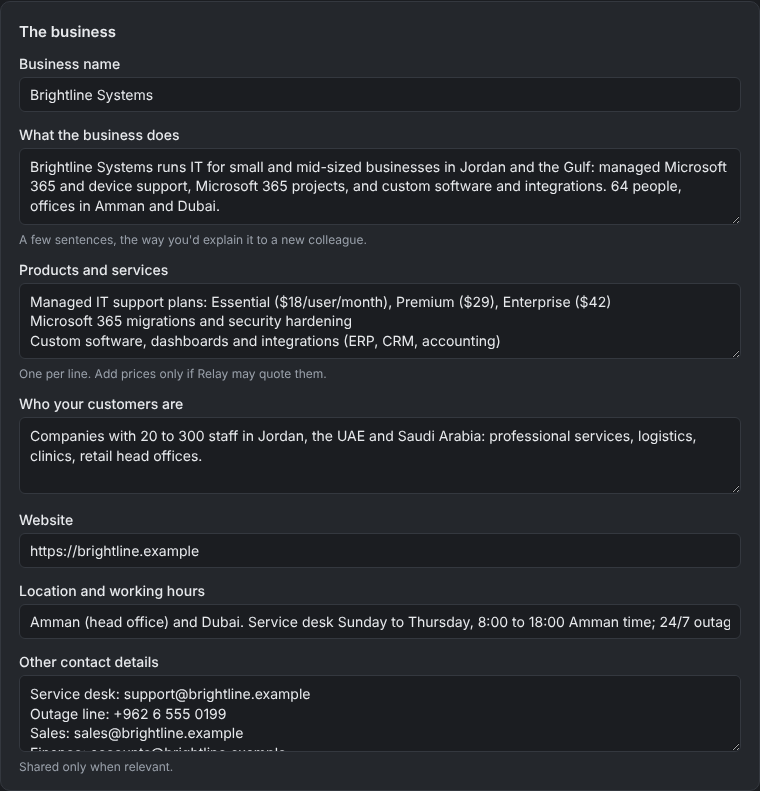
Your business profile
Fill in your company, what you do, your tone, sign-off, meeting rules and anything Relay should always or never do. Short, specific answers beat long ones: "Always offer a call for orders over €10,000" helps more than "be helpful".
Your files
Upload price lists, service descriptions, policies, FAQs and procedures. Relay reads Word, PDF, PowerPoint, CSV, HTML, Markdown and text files. For each email it picks the passages that matter and uses them in the draft.
Then click Study my business. Relay writes a short brief of your business, including the gaps: things customers might ask that your files don't answer. Fill those gaps and drafts get better quickly.
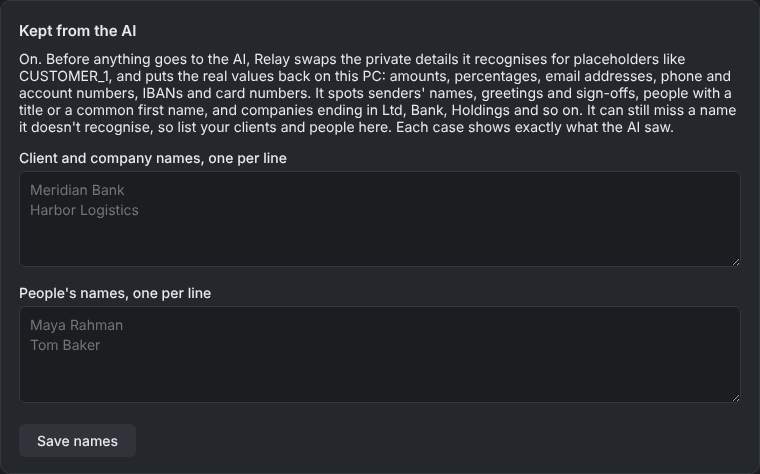
Kept from the AI
List client names, staff names and anything else that should never reach the AI. Relay swaps them for placeholders before every AI call. See Privacy and masking.
What Relay remembers
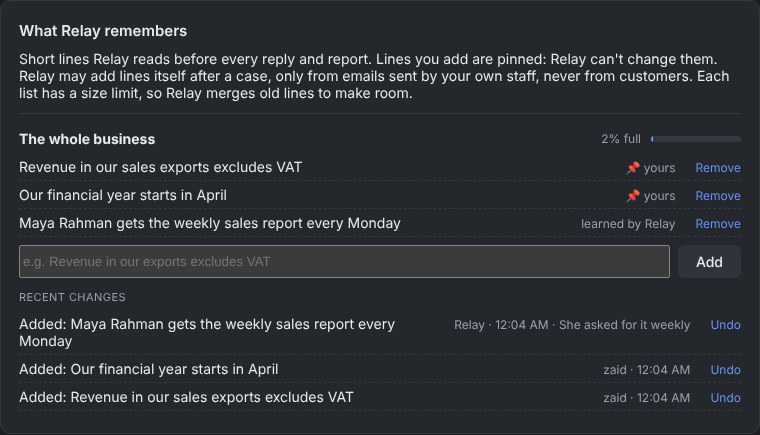
Relay keeps a short memory for the business and for each agent: facts it has learned, like "Meridian Bank's contact is now Sam". You can see every line, add your own (lines you write are pinned), edit them and undo any change Relay made.
- Only people at your own company domain can teach it by email.
- Memory has a size limit, so it stays focused.
- Relay never stores a private placeholder in memory.