How Relay works
Privacy and masking
With Hide private details from the AI on (the default, in Settings > AI), Relay replaces private values with placeholders like CUSTOMER_1 before anything goes to the AI, and puts the real values back on your PC afterwards.
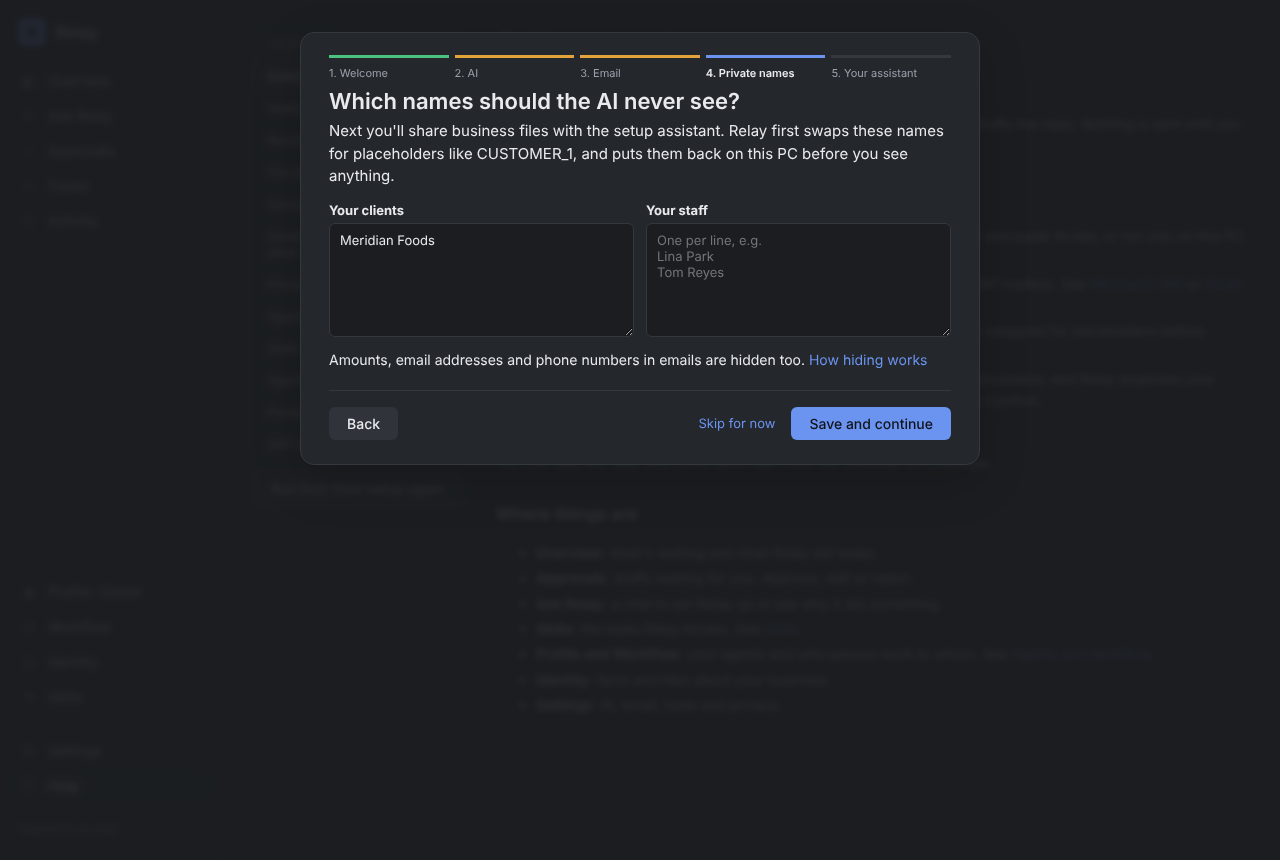
Set your private names first
The setup wizard asks for your clients' and staff's names before you share any files. You can upload a client list instead of typing them. Change the list later under Identity > Kept from the AI.
What gets hidden
- Names on your Kept from the AI list on the Identity screen.
- The sender's name, and names in greetings and sign-offs.
- Email addresses, phone numbers, IBANs, card numbers and account numbers.
- Money amounts, including short forms like "48.2k" and amounts written in words.
- Common name patterns: company endings like "Ltd", titles like "Dr", "X from Y".
- In spreadsheets, whole columns that look private (customer, contact, email, phone, amounts). You can change which columns are hidden.
Dates and reference numbers such as order IDs stay readable, because the AI usually needs them.
Check what the AI saw
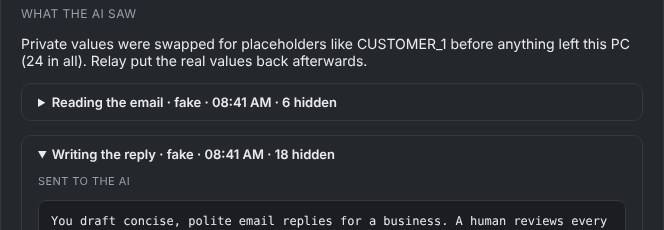
Every case has a What the AI saw section with the exact text that was sent, placeholders included, and how many values were hidden.
Protection against tricks
If an email contains text that looks like a placeholder, such as "please confirm CUSTOMER_1", Relay treats it as ordinary text and never swaps a real name into it. The AI's answer may only use placeholders that were in its own prompt.
Limits, honestly
Spreadsheet columns are hidden reliably. In free text, masking is an extra layer, not a guarantee: an unusual name that isn't on your list can slip through. Add your clients and staff to Kept from the AI, check What the AI saw on a few real cases, and for the strongest protection use a local AI model.